Intro And Disclaimer
Disclaimer: This is my personal setup for game development and 3D art, I obtained parts of it over a long period of time including before attending college, during my studies, and after I started working professionally. I point this out as it is important to me that anyone reading this who is interested in getting into game dev understands that they Do not need to obtain this kind of equipment to get started, I started 3D modelling on an old Toshiba laptop with no graphics card and 4gb of DDR3 RAM, and later built a simple PC with an i5-7500 processor and a GTX 1050 graphics card which actually did quite well for a long time, so please do not let a lack of equipment prevent you from getting started.
With that out of the way, I am excited to share with you my personal setup for creating art, making games, and of course- a little bit of gaming.
Photos
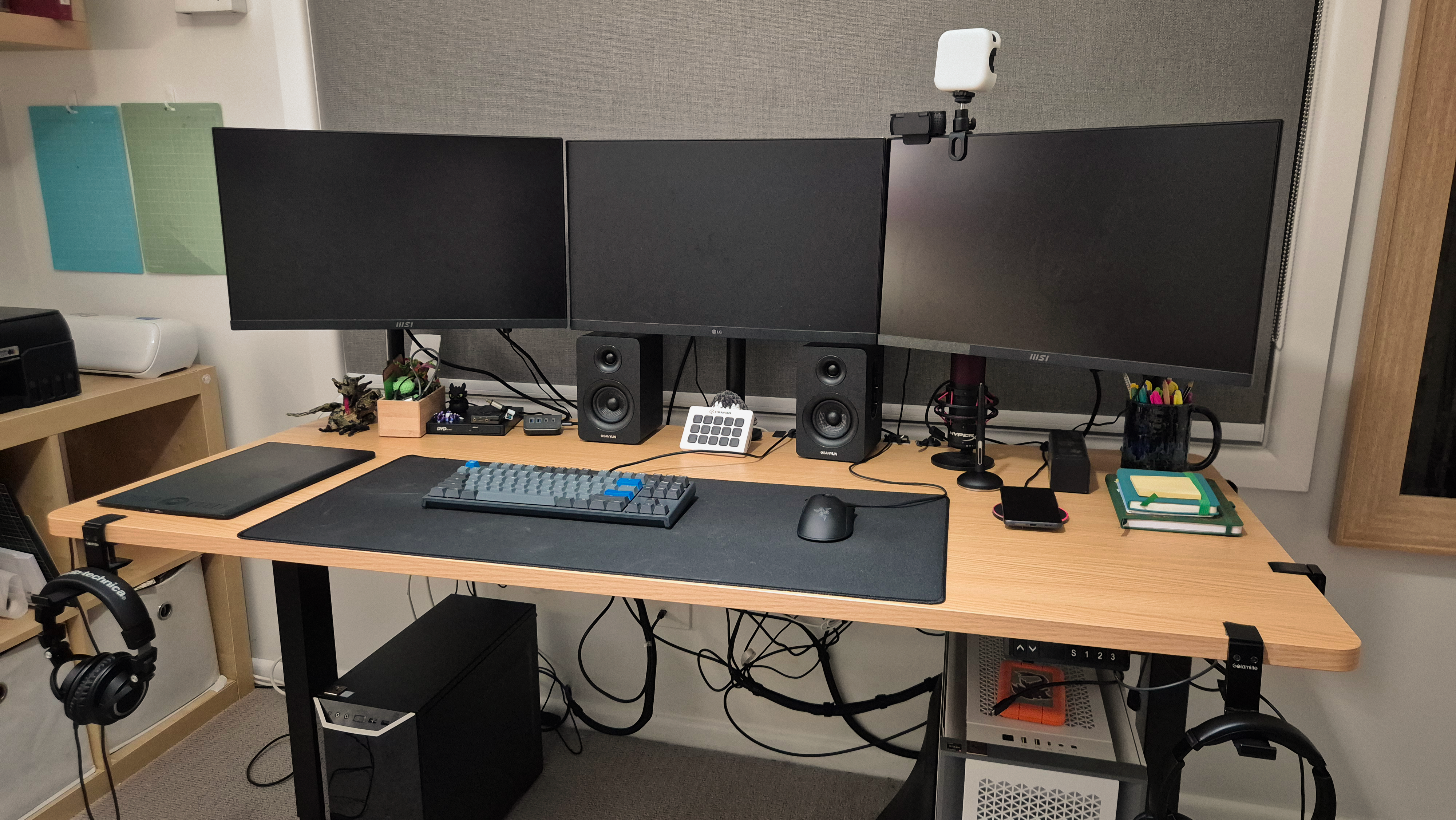 Setup Iteration: 9
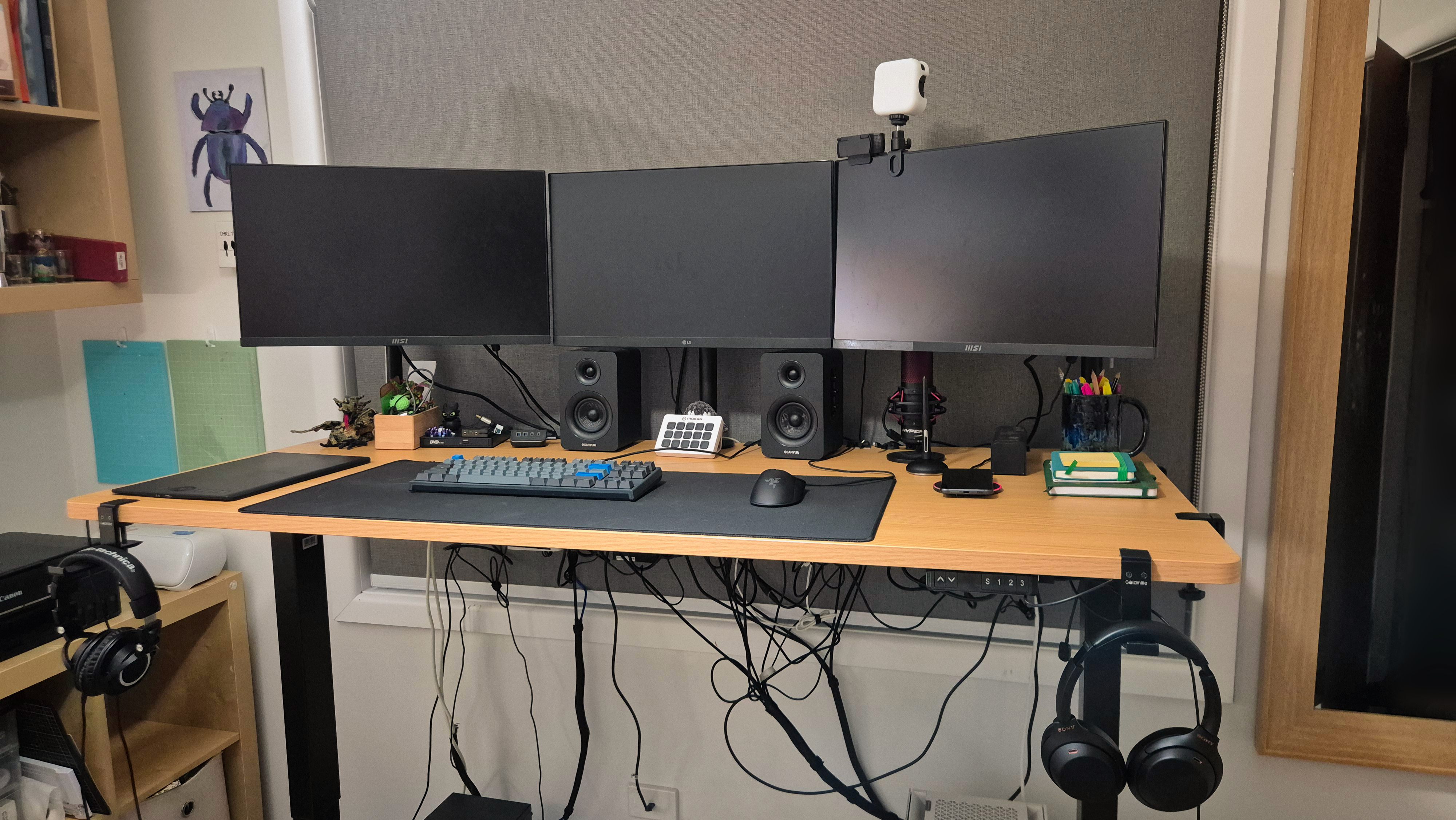 Standing
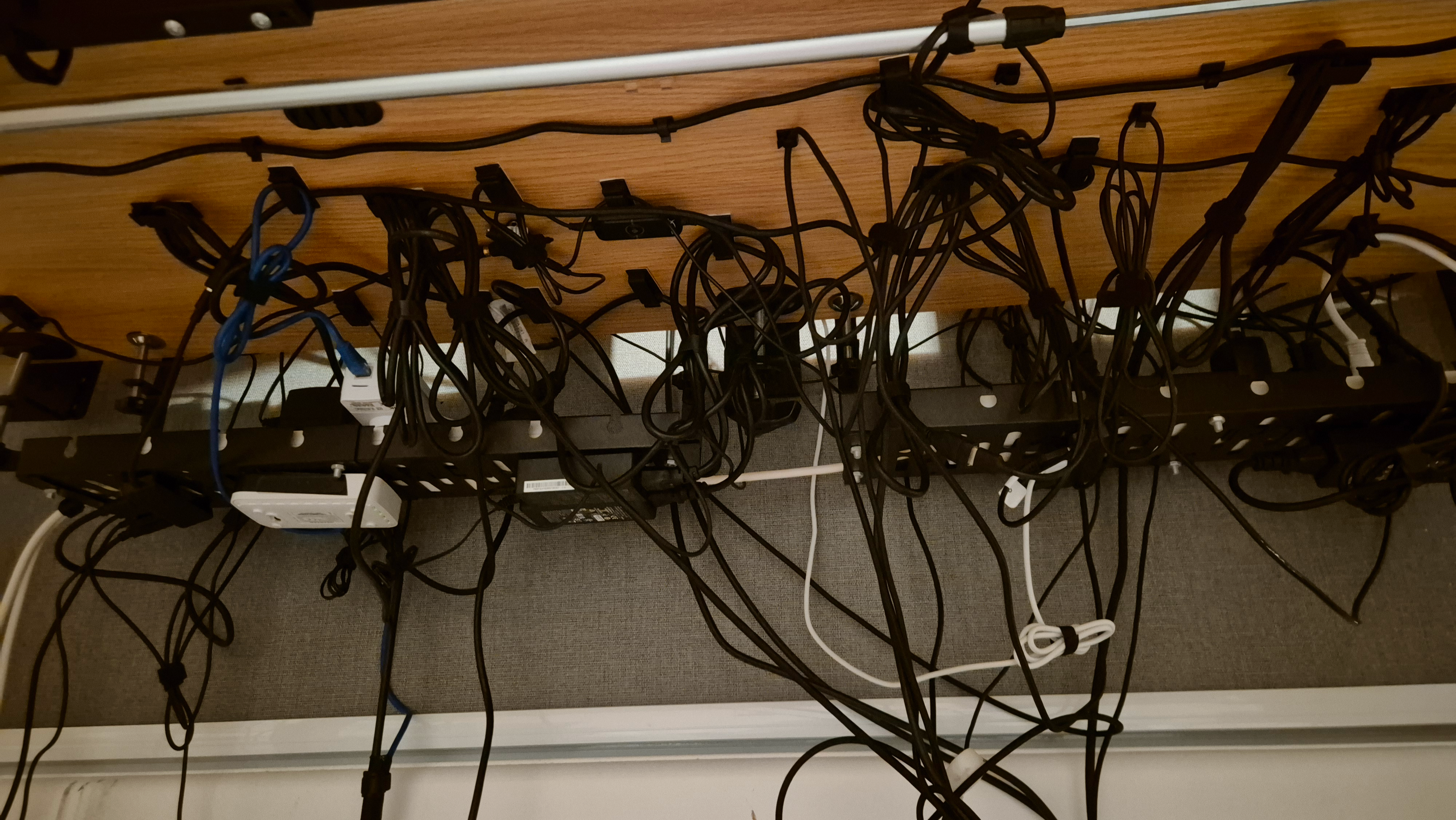 Cable management (would make an IT professional cry I am sure, but the cables don’t drag and won’t start a fire which is all that matters to me)
The PC
| CPU | AMD Ryzen 9 5900X 3.7 GHz 12-Core Processor |
| CPU Cooler | Noctua NH-D15 chromax.black 82.52 CFM CPU Cooler |
| Motherboard | Gigabyte B550 AORUS PRO V2 ATX AM4 Motherboard |
| RAM | Corsair Vengeance LPX 64 GB (2 x 32 GB) DDR4-3600 CL18 Memory |
| Storage | Primary Drive: Samsung 990 Pro 4 TB M.2-2280 PCIe 4.0 X4 NVME Solid State DriveDedicated Cloud Storage Sync Drive: Samsung 970 Evo Plus 2 TB M.2-2280 PCIe 3.0 X4 NVME Solid State DriveRecording & Editing Drive: Samsung 860 Evo 1 TB 2.5" Solid State DriveBulk Storage Drive: Seagate BarraCuda 4 TB 3.5" 5400 RPM Internal Hard Drive |
| GPU | Asus TUF GAMING OC GeForce RTX 4070 Ti 12GB Video Card |
| Case | Corsair 5000D AIRFLOW ATX Mid Tower Case |
| Power Supply | Corsair RM850x Gold Modular 850W Power Supply V2 |
| OS | Microsoft Windows 10 Home |
| Case Fans | ARCTIC P12 PST 56.3 CFM 120 mm Fans 5-Pack |
PC Notes:
- 64 GB of ram: I left room for 128- I doubt that I will ever need it, I like to keep all of my creative programs open at once when creating art, because it offers speed and the ability to flow between tasks with little friction, this can however chew up a lot of RAM, hence the 64GB- just be aware that 32GB is a perfectly fine amount.
- The cloud sync hard drive: I use drop box for cloud storage for all my work, I enjoy the comfort of having a cloud copy and access to my files without remembering to bring a hard drive with me, however the one downside of using cloud storage can be waiting for files to sync, to remove this down side I have a 2TB m.2 (for high speed) SSD which I have my ENTIRE drop box account constantly syncing to, it may be seen as a little overkill, but for me it’s perfect, and offers the best of both worlds regarding cloud storage / working locally.
Peripherals
| Keyboard | Ducky one 2 |
| Mouse | Razer DeathAdder V2 Wired |
| Headphones | Audio-Technica ATH-M50x |
| Microphone | HyperX QuadCast |
| Speakers | Sanyun SW208 3 Speakers |
| Main Display | LG UltraGear 24" FHD 180Hz 1ms Gaming Monitor 24GS60F |
| Webcam | Logitech C920 |
| Webcam light | NEEWER Clip On Light |
| Side Displays | 2x MSI PRO MP2412 23.8" |
| Macros | Elgato Stream Deck MK.2 -White |
| Drawing | Wacom intuos pro - Medium (2017 model) |
| CD player | ORIGBELIE External DVD Drive |
| Desk mounted USB hub | Yottamaster USB 3.2 Hub 10Gbps |
Peripheral Notes:
- Stream deck: You absolutely do not need a stream deck for creating 3D art!! I do however find it very helpful for controlling my virtual webcam during meetings and while running online classes, and as this list is for my entire setup, it is included.
- Wacom intous pro medium: this is the tablet to get! that said many alternatives from huion or others can also work great and be at least 80% as good. what is more important on a tablet hunt is to get one without a screen, In the past I have used to use a very large screen tablet, it was a good tablet and for someone doing a lot more 2D art it may be the better device, however for 3D art where tasks are often changing as you work through the pipeline, I found that the larger device took too long to get setup (even when being used as a monitor in it’s down time) and also provided worse ergonomics due to the neck needing to be craned down even a little bit when using it.
- CD Player: Not part of the art / work tools at all, but it has a permanent spot on my desk the back has a hub for SD cards and such which is handy
Desk & Accessories
| Desk | Oikiture Electric Standing Desk 160cm Wide |
| Cable Tray | 2x Necomi No Drill Under Desk Cable Management Tray |
| Surge protector | 2x HPM 12 Outlet Surge Protected Powerboard |
| Main Monitor Stand | VIVO Single: No Arm |
| Side Monitor Stands | 2x VIVO Single: 16” |
| Cable Management | 2x Jungford [152 Pcs] Cord Management Organizer Kit |
| Headphone Stand | 2x Goldmille Aluminum Headphone Stand |
| Wireless Charger | ANKO 10W Wireless Charging Pad |
| USB Hub | 2x UGREEN USB 3.0 Hub, 4 Ports USB A Splitter Ultra-Slim |
| Network Switch | Netgear 5-port gigabit ethernet switch GS605v5 |
| Placement Fixing | ANKO glue dots |
| Speaker Stands | ANKO plywood coasters |
| Knick-Knack Box | Target wooden box |
Accessories Notes:
- Monitors: A full triple monitor setup is not required- however I do HIGHLY recommend having at least 2, the additional monitor is an absolute game changer
- Wireless charger: we All know that wireless chargers are slower than wired connections, however I still like to have one as I like my desk to have a dedicated place for my phone, and that dedicated place may as well add some charge.
- Network switch: good if you have a single cord running to your office / room and want a wired connection to few devices (in my case my main PC, my media PC, and a WIFI booster )
- Placement fixings: I use these to secure items like the wireless charger and speaker stands to my desk, this comes in handy if you are a bit particular like me and want to make sure things will stay the safe after giving your setup a good clean.
- Knick-knack box: it’s a silly thing to recommend, but having a small box handy for USBs, trinkets, adapters, etc. can really help keep your space clear, for the couple dollars they go for its a huge recommend!
Evolution (Past Iterations)
My setup is always changing to fit my needs and current priorities, below will serve as something of an “archive” for my old setups, starting with the most recent iterations, (other than the one shown above in the main section) and getting older the further down the list it goes. I will also include when applicable some notes on what changed between that setup and the one above it (and why I changed it.)
This section will not include upgrades made to the PC over time as I have not kept close track of that, so just be aware that the PC has been worked on over time, and completely swapped between iteration 3 and 4
Iteration 8
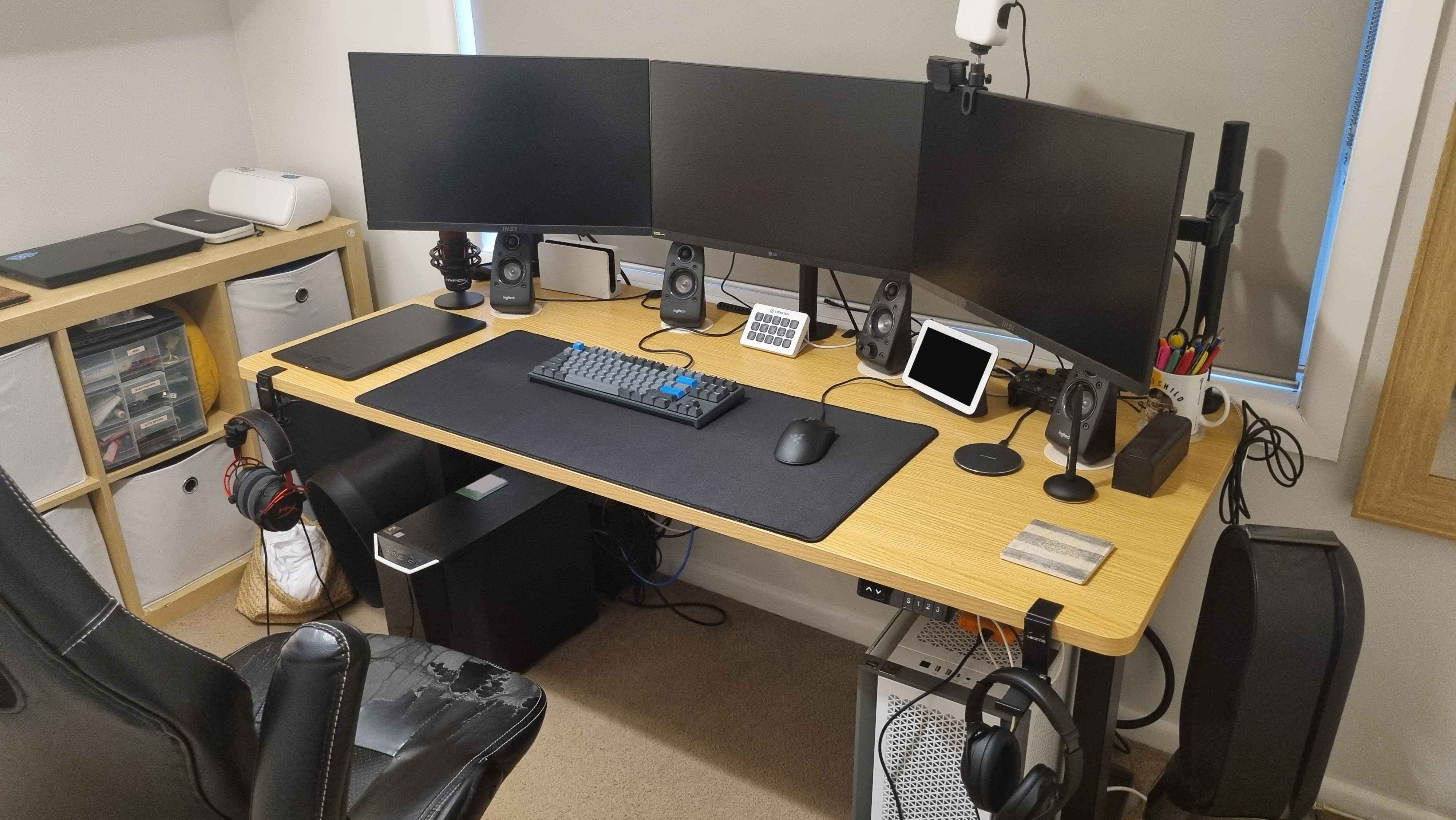 Changes made between iteration 8 and 9:
- Removed the Google Nest Hub (2nd Gen) - Chalk
- Replaced the HyperX Cloud Alpha Headset With the Audio-Technica ATH-M50x
- Replaced the Logitech Surround Sound Speakers Z506 with the Sanyun SW208 3 Speakers
- Added the Yottamaster USB 3.2 Hub 10Gbps USB hub
- Added the ORIGBELIE External DVD Drive You can tell I was going through a bit on an audio phase with this one, replacements were made to improve quality and comfort (especially on the headphone front), the USB hub and DVD drive were both added for convenience, The google home hub no longer felt like it had a place in my setup and thus I removed it.
Iteration 7
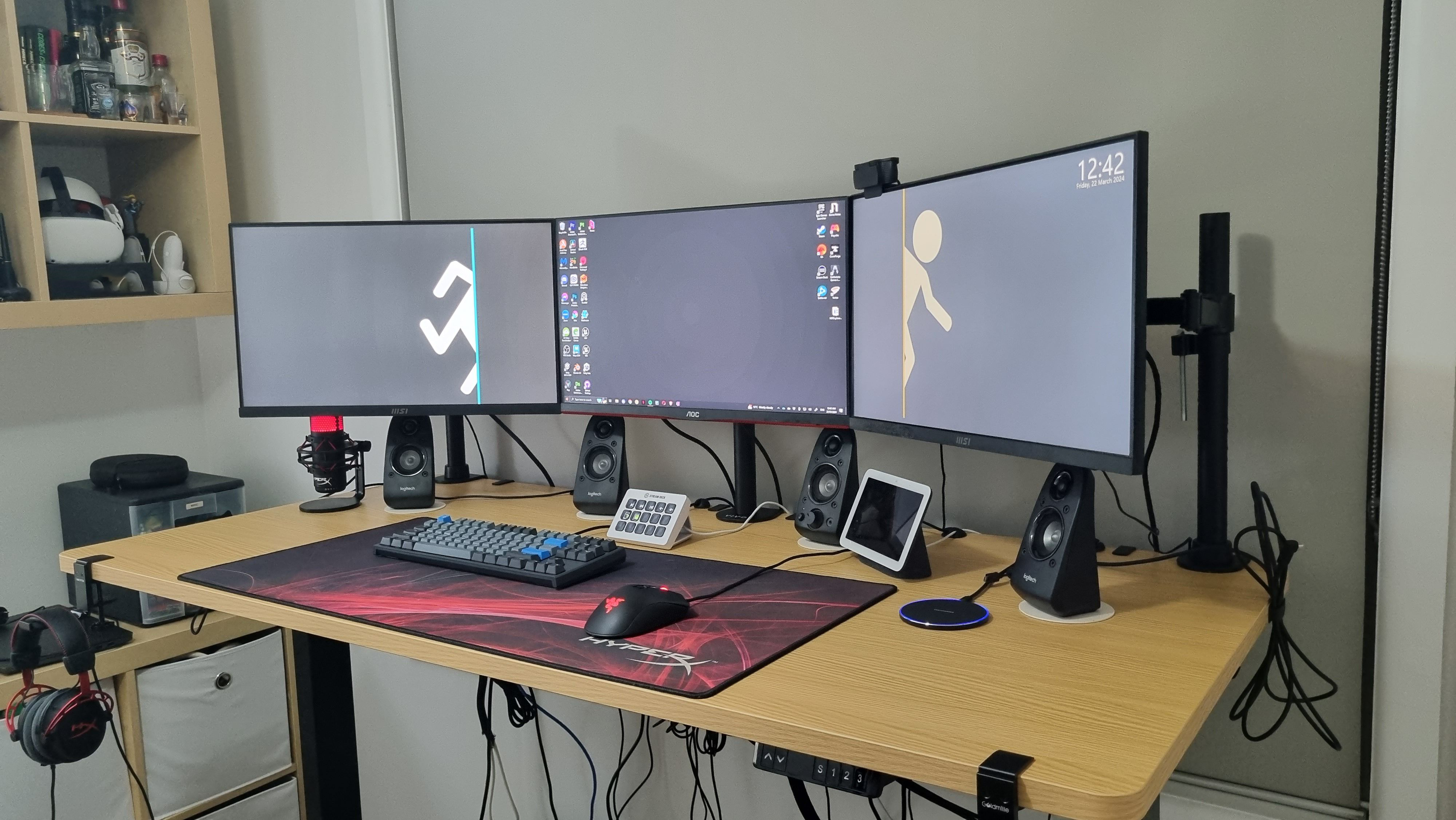 Changes made between iteration 7 and 8:
- Replaced the HyperX extra long mousepad with a generic one from amazon
- Replaced the AOC 24G2SP 23.8" with the LG UltraGear 24" FHD 180Hz 1ms Gaming Monitor 24GS60F
- Replaced Wacom Intuos draw (CTL490) with Wacom intuos pro - Medium (2017 model)
- Added the NEEWER Clip On Light The mousepad had just gotten too old and hard to clean, the monitor was an unfortunate replacement as the monitor developed dead pixels and banding issues, the clip on light was added to improve webcam visuals during meetings / classes.
Iteration 6
![[My home PC setup-1.jpg]] This is how my setup ended up after my last desk broke and I needed something to work on while I was looking for a new desk option, a fold out plastic table with a metal frame does not make the best desk- but it honestly was not terrible as an in-between option.(This photo is also very messy as I was about to upgrade to my new desk when I decided I should get a picture) Changes made between iteration 6 and 7:
- Replaced the plastic folding table with the Oikiture Electric Standing Desk 160cm Wide No particular notes on this one, just needed to happen, the standing desk is a life saver, I was worried I would not use it that much when I got it, but when I am working from home I find I use it quite a bit.
Iteration 5
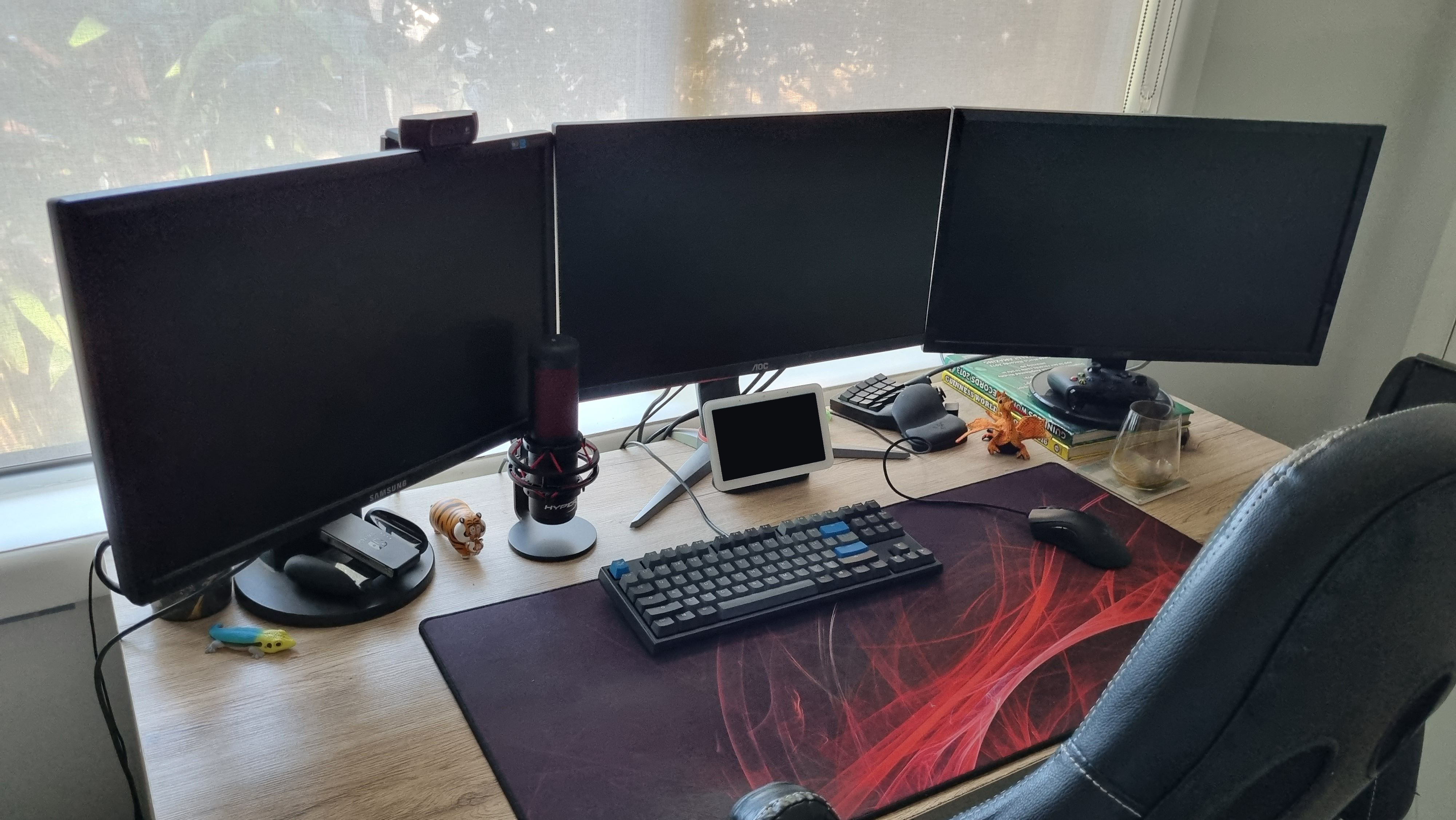 Changes made between iteration 5 and 6:
- replaced the wooden desk with a generic plastic folding table
- Added Headphone mounts
- Added Monitor arms
- Added under desk cable trays The desk replacement was was due to my old desk breaking and me not wanting to commit to a new choice until I had done some research, the extra additions were things I was trying out before I got a new desk.
Iteration 4
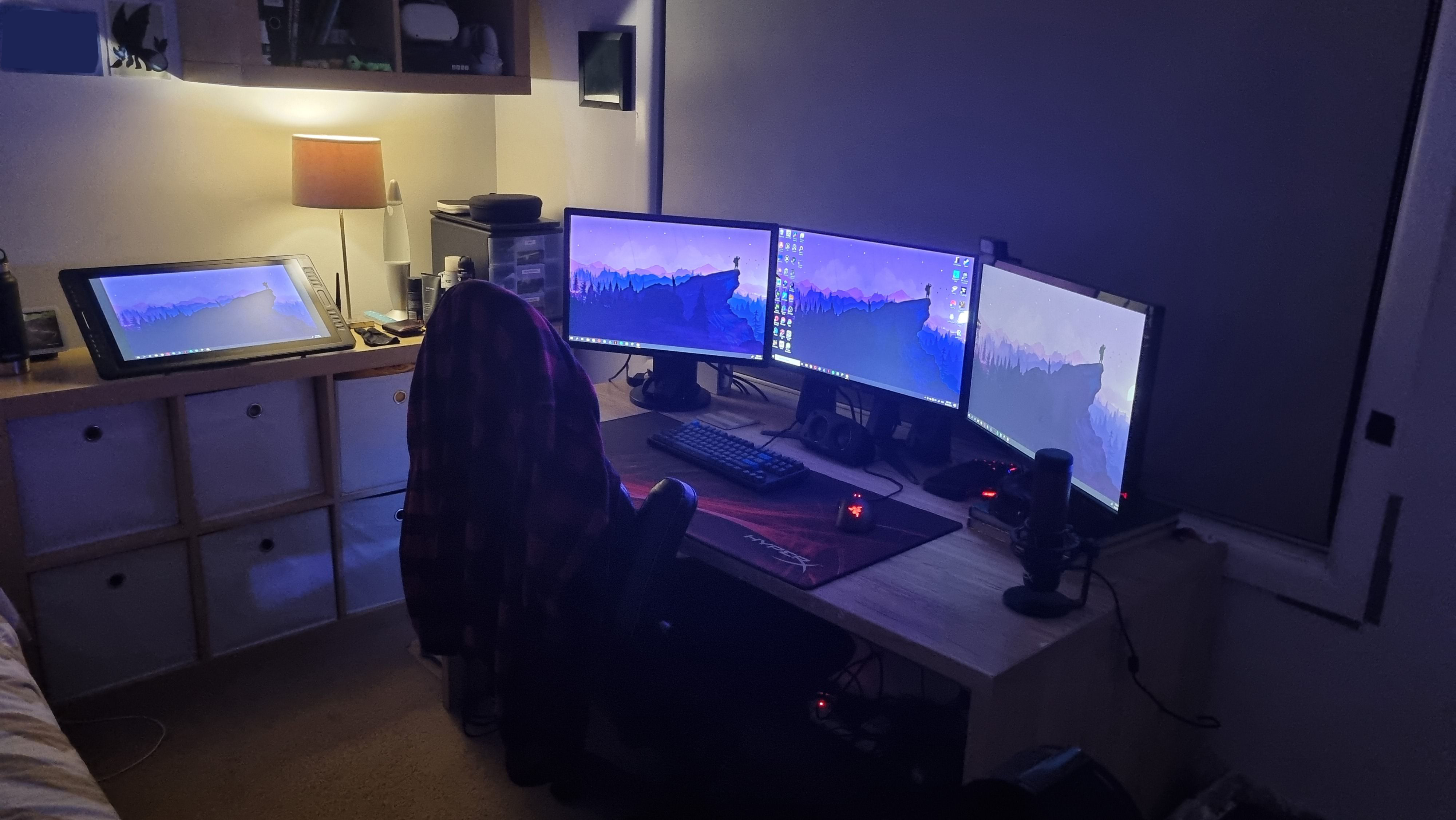 This setup was definitely a vibe, but in practice the drawing tablet was just too far away to be used regularly.
Changes made between iteration 4 and 5:
This setup was definitely a vibe, but in practice the drawing tablet was just too far away to be used regularly.
Changes made between iteration 4 and 5:
- Replaced the Huion Pen Display Kamvas pro 22 (2019) with my old Wacom Intuos draw (CTL490)
- Moved my Google Nest Hub (2nd Gen) - Chalk to the desk for music
Iteration 3
![[My home PC setup-4.jpg]] Changes made between iteration 3 and 4:
- Moved the Huion Pen Display Kamvas pro 22 (2019) to the side and added a third cheap monitor to keep all 3 on the same eye level (neck saver)
Iteration 2
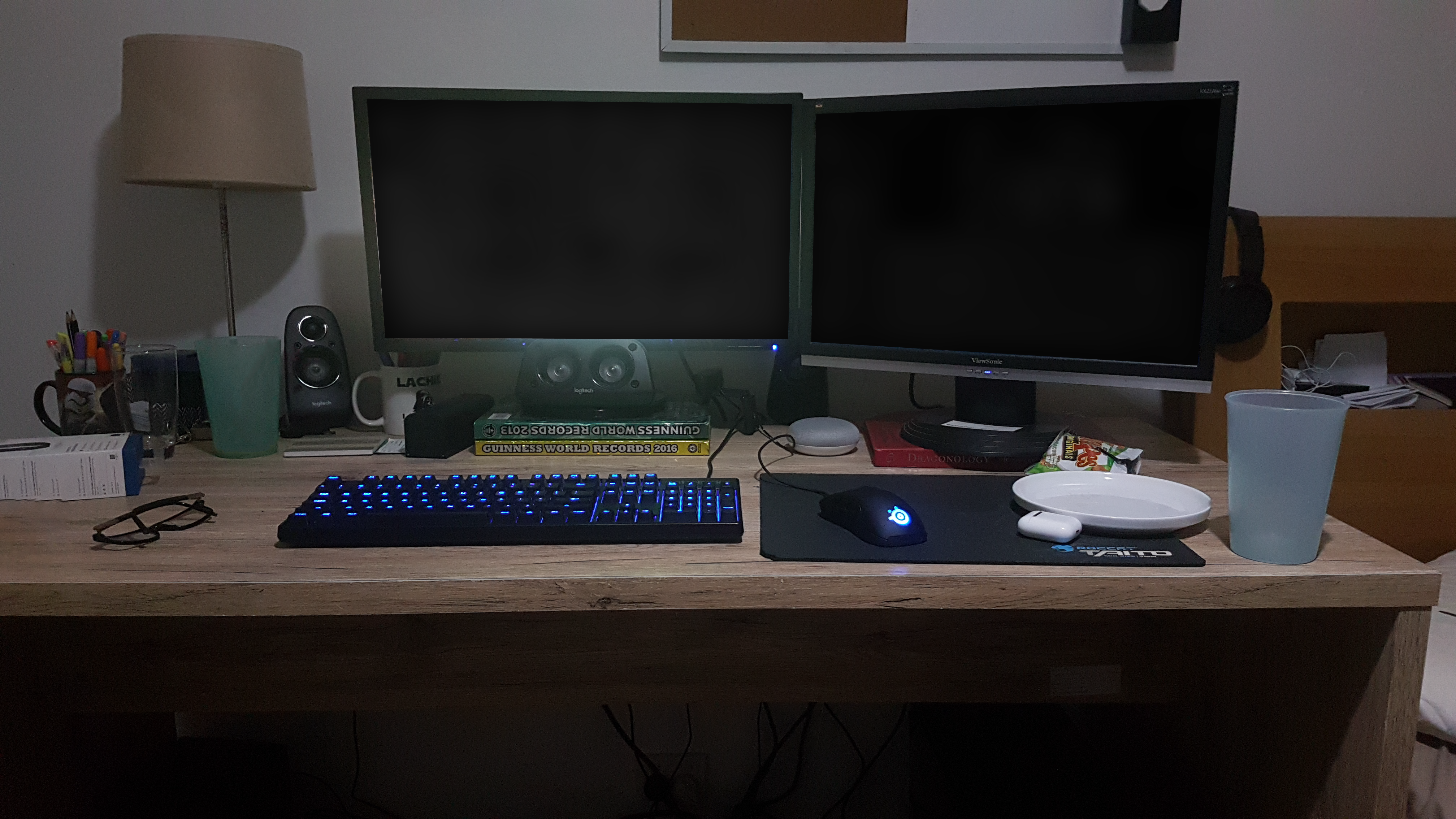 Changes made between iteration 2 and 3:
- Added the Huion Pen Display Kamvas pro 22 (2019)
- Added the HyperX QuadCast
Iteration 1
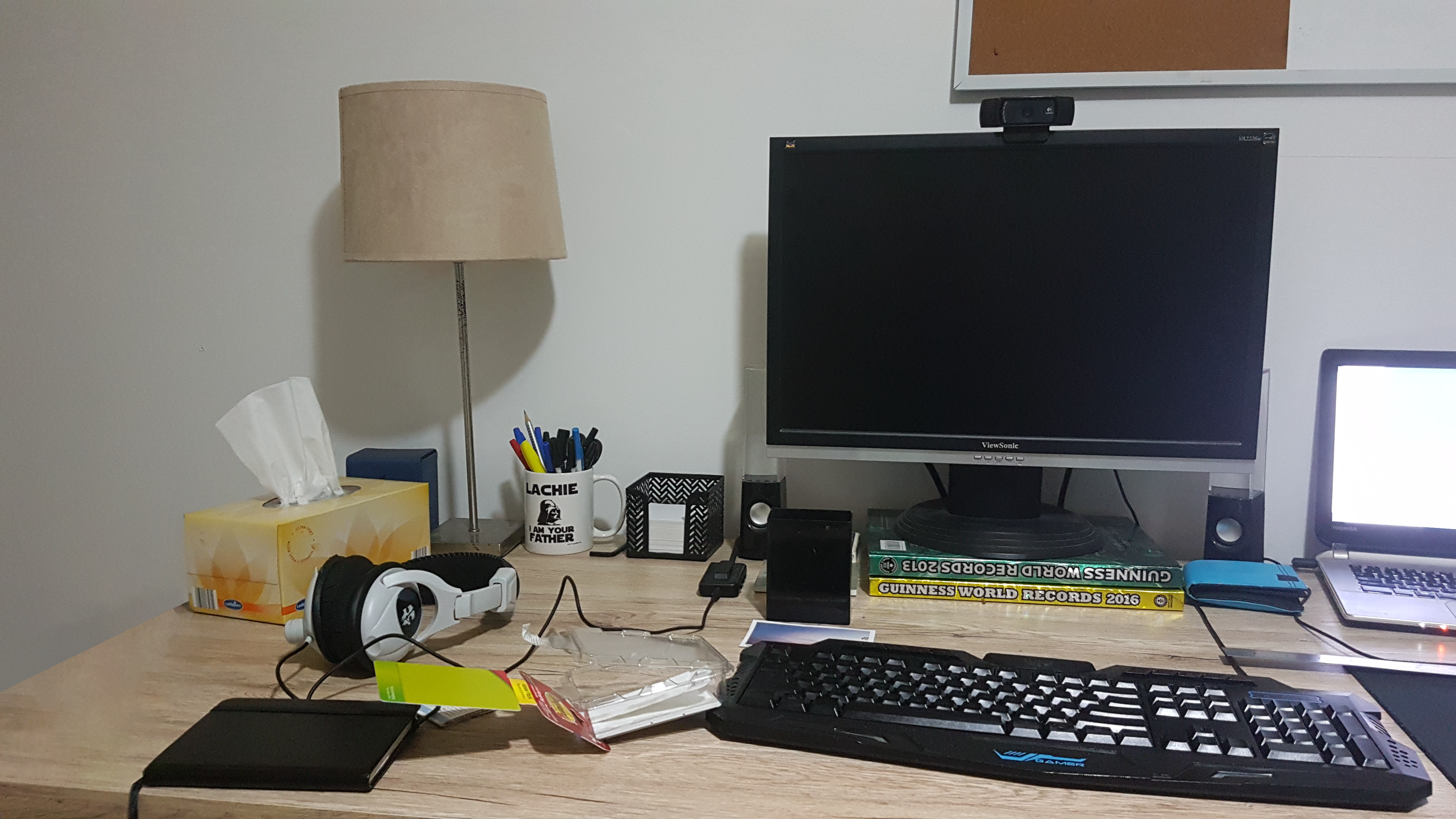 Changes made between iteration 1 and 2:
- Replaced cheap Anko speakers with the Logitech Surround Sound Speakers Z506
- Replaced turtle beach headset with HyperX cloud alpha headset
- Added a second cheap monitor